Bring AI directly into your Houdini workflow.
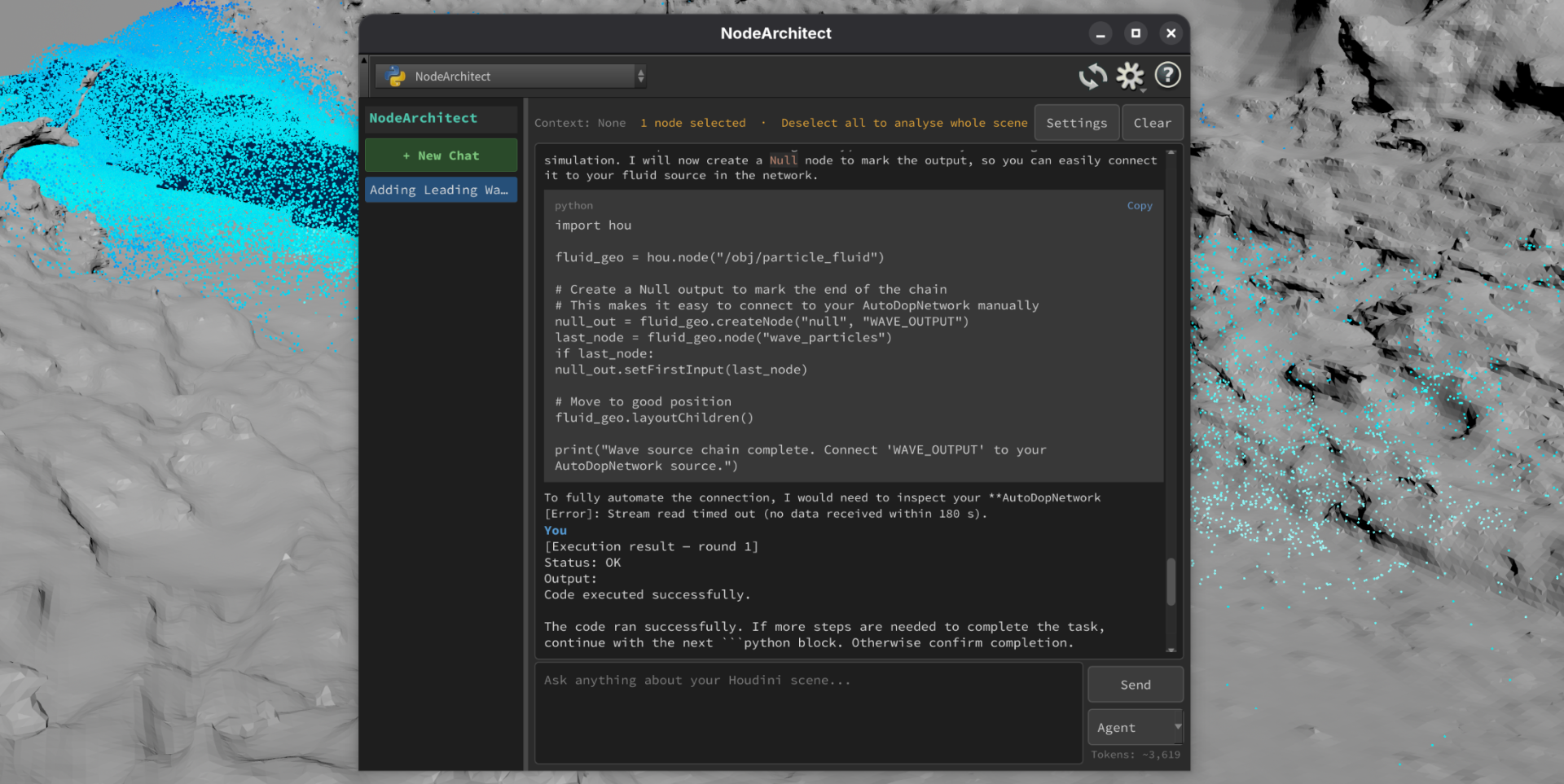
NodeArchitect is a Houdini plugin that gives you an AI agent which actually understands your scene. Select nodes, ask a question, and get answers grounded in your real node graph — not generic advice from a chatbot that’s never seen your file.
What It Does
Scene Understanding — Select any nodes and ask “what does this do?” NodeArchitect reads your parameters, connections, and data flow, then explains it in plain english. Leave all nodes unselected to analyse your entire scene at once.
Debugging — Paste an error or just ask “why is this broken?” and the LLM traces the problem through your node graph to the root cause, with exact fixes.
Code Generation — Need VEX or Python? Describe what you want and get working code that references your actual nodes and parameters. No boilerplate, no hallucinated function names.
Documentation — Generate structured technical documentation for any network, ready for handoff to other artists or future you.
HDA Building — Describe a tool in plain english and get a Python build script that creates it. “Make me a procedural staircase HDA with step count, height, and width parameters” — done.
BUILD Mode — Prefix any prompt with BUILD: and NodeArchitect generates executable Python code that constructs node setups directly in your scene. You review everything in a confirmation dialog before anything runs.
Key Features
- Works with your scene — Context is collected automatically from your selection. Every response is grounded in your actual nodes, not generic examples.
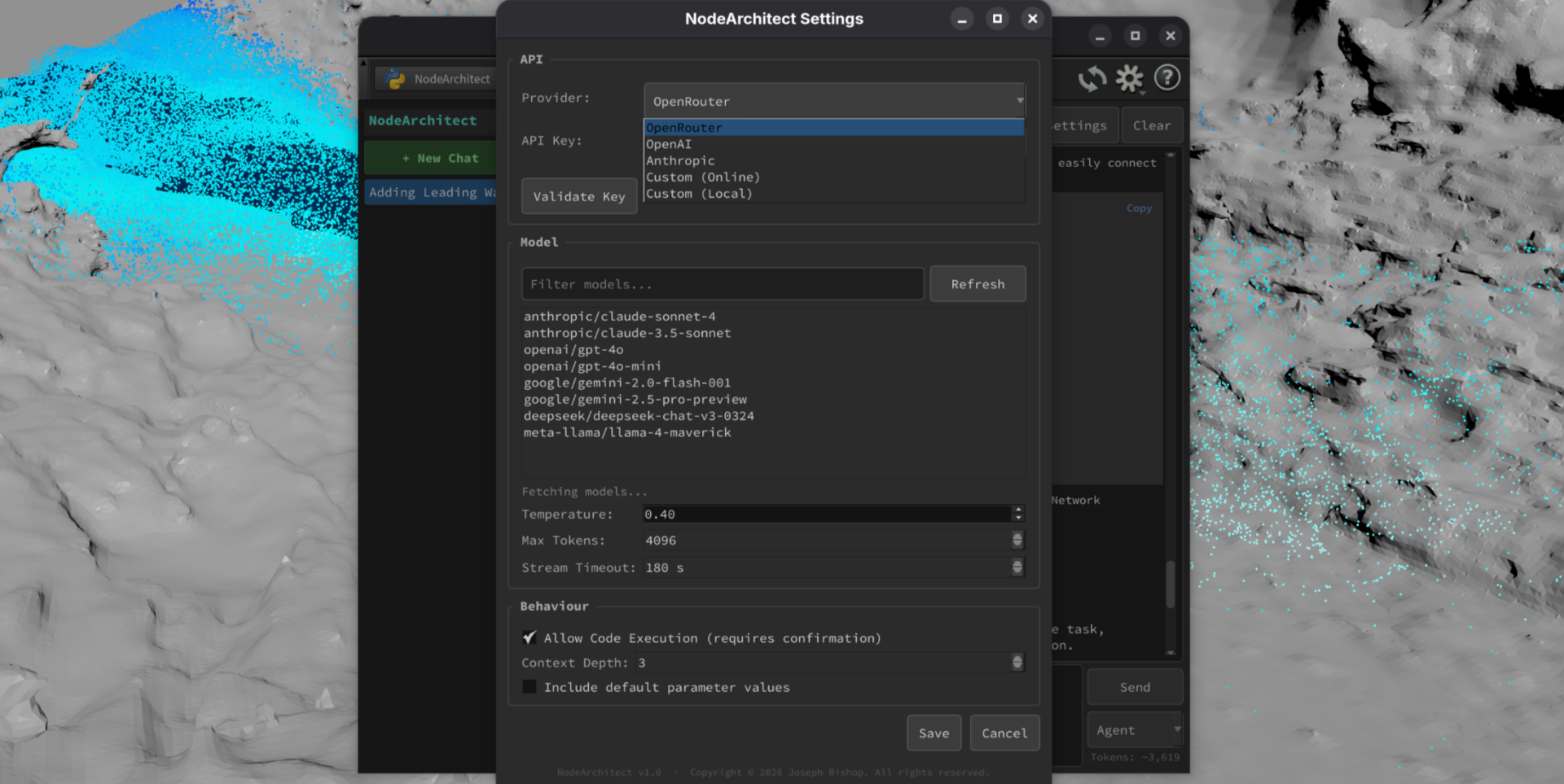
- Multi-provider LLM support — Use OpenRouter (100+ models, free tier available), OpenAI, Anthropic, Ollama, or any custom endpoint. Bring your own API key — no vendor lock-in.
- Streaming responses — Watch answers arrive in real-time with live token counting.
- Code execution with confirmation — BUILD mode lets the AI construct node setups for you, but nothing runs without your explicit approval.
- Persistent chat sessions — Conversations are saved with AI-generated titles. Pick up where you left off.
What You Need
- Houdini 20.0+ (Python 3.10+)
- An API key from any supported provider (OpenRouter’s free tier is enough to get started)
Installation
Copy three things into your Houdini user preferences folder and restart. Full instructions included. Takes about 2 minutes.
Licensing
Free for non-commercial and personal use — learn, experiment, and use it on personal projects at no cost.
Paid licenses available for commercial use — if you’re using NodeArchitect in a production environment, studio pipeline, educational institution, paid tutorials, or any revenue-generating work, a commercial license is required.
Source code access — available at additional cost for studios and individuals who want to modify, extend, or integrate NodeArchitect into custom pipelines.
Contact for any further commercial licensing enquiries.
Changelog
1.0 – Initial release
Copyright © 2026 Joseph Bishop – All rights reserved