Bring AI directly into your Houdini workflow.
A complete Houdini plugin that brings AI directly into your workflow. Built-in web UI, AI agent, 156 curated tools, and a bundled MCP server that can also run headless — configure once with your preferred LLM (API key or Login), then pick up where you left off in persistent chat sessions.
What It Does
Scene Understanding — Select any nodes and ask “what does this do?” NodeArchitect reads your parameters, connections, and data flow, then explains it in plain english. Leave all nodes unselected to analyse your entire scene at once.
Debugging — Paste an error or just ask “why is this broken?” and the agent traces the problem through your node graph to the root cause, with exact fixes.
Code Generation — Need VEX or Python? Describe what you want and get working code that references your actual nodes and parameters.
One-Call Automation — Ask for a FLIP simulation, a KineFX retarget chain, a Copernicus terrain recipe, a Karma preview shot, or a PDG training workflow. NodeArchitect builds the relevant Houdini network and returns diagnostics grounded in the live scene.
Documentation — Generate structured technical documentation for any network, ready for handoff to other artists or future you.
HDA Building — Describe a tool in plain english and get a Python build script that creates it. “Make me a procedural staircase HDA with step count, height, and width parameters” — done. The HDA Composer pipeline plans the build first and validates the result before finalizing it.
Performance Profiling — Ask “what’s slowing this down?” and NodeArchitect profiles the network, ranks nodes by cook time, and points you straight at the bottleneck instead of you digging through Performance Monitor manually.
Key Features
- Works with your scene — Context is collected automatically from your selection. Every response is grounded in your actual nodes, not generic examples.
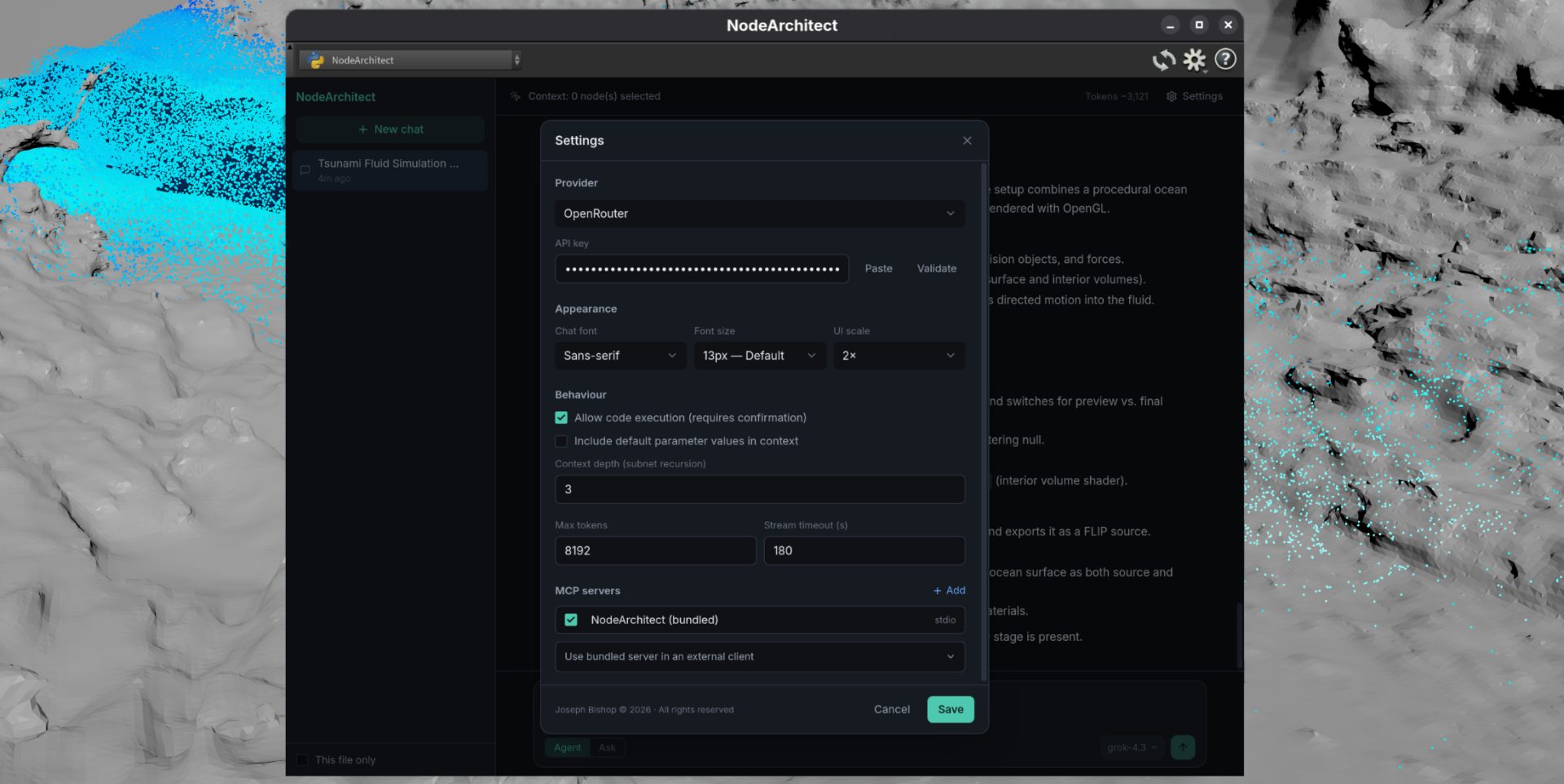
- Multi-provider LLM support — Use OpenRouter (100+ models, free tier available), OpenAI, Anthropic, GitHub Copilot, Ollama, or any custom endpoint. Bring your own API key — no vendor lock-in.
- Sign in with ChatGPT Codex (beta) — Authenticate via the Codex CLI’s OAuth device flow — no API key needed, works off your existing Codex CLI login.
- GitHub Copilot sign-in — Connect with your existing Copilot subscription (including Copilot Free) via OAuth.
- 146 MCP tools covering every major Houdini context — Built-in MCP server with dedicated tools for SOPs, DOPs, PDG/TOP, CHOPs, COPs, VEX, USD/Solaris, and VOP shader graphs. No extra setup required. External clients like Claude Desktop and Cursor can also connect to your live Houdini session.
- Per-tool consent — The agent pauses and asks before anything mutates your scene.
- Persistent chat sessions — Conversations are saved with AI-generated titles. Pick up where you left off.
- 4K / HiDPI support — UI scales automatically, with appearance settings for font, font size, and display scaling.
- Image upload — Attach images to chat messages or paste from clipboard; disabled automatically for non-vision models.
- Project memory — Context is scoped to the project file, not just your session. Come back to a scene days later, or hand it to another artist, and NodeArchitect picks up where things left off instead of starting cold.
- Experimental Computer Control — Direct API interaction with Houdini’s interface for Astra and Sol 6.1; may not work as expected yet.
146 Tools Across Every Houdini Context
Core Scene & Node Workflow — 31 tools
Create, inspect, wire, organise, search, save and manage Houdini scenes and networks.
Geometry & SOP — 12 tools
Inspect geometry, materials and attributes; import/export geometry; build SOP camera and implicit-surface workflows.
Animation, APEX & KineFX — 9 tools
Control keyframes and expressions, inspect character rigs and graphs, diagnose skeletons, build character recipes and retarget animation.
Dynamics & Simulation — 9 tools
Inspect and control DOP networks, cache simulations, and build Pyro, FLIP, RBD and Vellum setups.
USD, Solaris & Karma — 31 tools
Author prims, variants, lights, materials, RenderPasses, AOVs, Texture Material Library networks, Karma settings, preview shots and USD exports.
PDG, ML & Gaussian Splats — 10 tools
Inspect and cook TOP networks, manage schedulers, inspect datasets, and build ML or Gaussian Splat training workflows.
Channels (CHOP) — 4 tools
Read channels, export values to parameters and diagnose CHOP errors.
Compositing (Copernicus/COP) — 13 tools
Inspect, build, wire and export COP networks, including Houdini 22 terrain, material, adjacency, time and ML recipes.
VEX Authoring — 3 tools
Write, inspect and validate VEX wrangle code.
VOP Shader Graphs — 5 tools
Build, wire and inspect shader networks.
HDAs & Assets — 5 tools
Create, install, plan, build and compose digital assets.
Rendering & Viewport — 5 tools
Render viewport shots and turntables, capture the viewport, and turn an approved viewport view into a reusable camera.
Performance & Checkpoint Safety — 5 tools
Profile cook performance and inspect or roll back safe mutation checkpoints.
Project Memory — 3 tools
Read and update project-scoped memory and rules.
Code Execution — 1 tool
Run approved Python in the live Houdini session when a dedicated tool is not the right fit.
Why 146 rather than 180+? Every tool earns its place in the context window. NodeArchitect keeps its catalog focused, capability-aware and context-sensitive, so the agent sees fewer irrelevant options and makes more reliable choices.
What You Need
- Houdini 20.0+ (Python 3.10+, PySide2 or PySide6)
- An API key from any supported provider (OpenRouter’s free tier is enough to get started), or a GitHub Copilot subscription
Installation
Copy three things into your Houdini user preferences folder and restart. Full instructions included. Takes about 2 minutes.
Licensing
Free tier Free for non-commercial and personal use — learn, experiment, and use it on personal projects at no cost.
Commercial license Required if you’re using NodeArchitect in a production environment, studio pipeline, paid tutorials, or any revenue-generating work. Licenses are billed annually. If you choose not to renew, you retain permanent access to the last version available at the time your subscription ends — you’ll never lose access to software you’ve paid for.
Educational use Individual students and researchers using NodeArchitect for non-commercial academic work are covered under the free tier. Institutional or departmental deployment — such as a university integrating NodeArchitect into a course or shared pipeline — requires a commercial license.
Source code access Available at additional cost for studios and individuals. A source code licence permits modification and integration into your own internal pipelines. It does not grant rights to redistribute, sublicense, or incorporate NodeArchitect into a product sold to third parties. Contact for details.
Refunds Refunds are not offered as standard. Requests are considered on a case-by-case basis.
Contact for any further commercial licensing enquiries.
Data & Privacy NodeArchitect reads node graph, parameter, and connection data from your Houdini session and sends it to your chosen LLM provider for processing. This data is not stored or retained by Joseph Bishop. You are responsible for reviewing the privacy policy of your chosen LLM provider before use.
Third-Party Services You are solely responsible for your own API provider accounts and compliance with those providers’ terms of service. GitHub Copilot integration requires an active, valid Copilot subscription and must comply with GitHub’s terms of service.
MCP Server & Network Security NodeArchitect’s built-in MCP server allows external clients such as Claude Desktop and Cursor to connect to your live Houdini session. Only enable external MCP connections on trusted private networks. You assume all risk associated with enabling this feature.
Disclaimer NodeArchitect is provided “as is” without warranty of any kind, express or implied. Joseph Bishop is not liable for any damages arising from its use, including scene corruption, data loss, pipeline disruption, or outputs generated by connected LLM providers. All AI-generated code and suggestions should be reviewed before being applied to your scene.
Changelog
2.4.5 – Astra improvements and fixes
- Provider Fixes — Updated API integrations to fix authentication, model discovery, streaming, and tool-call compatibility issues.
- Improved MCP Control — Better support for workflows with models like Astra and Sol 6.1 through validated scene edits, clearer results, session targeting, and recovery.
- GUI Improvements — Clearer approvals, tool feedback, image previews, and recovery controls for workflows with newer AI models.
- Experimental Computer Control — Introduced direct API computer control so compatible models can interact with Houdini’s interface. This is new and may not work as expected yet.
- Houdini Workflow Fixes — Improved node wiring, HDA parameters, simulation workflows, and Karma settings.
2.4.4 – Token efficiency improvements
- Much lower running costs. A leaner default tool list, compact payloads and fewer round-trips cut the tokens spent per turn — most noticeably through Claude Desktop, Cursor and Claude Code.
- ChatGPT login fixes. The model list now comes from Codex instead of a built-in list that had gone stale, real error messages replace Codex’s internal retry chatter, and reasoning effort offers what your model actually supports.
- New nodes stop stacking on top of each other.
2.4.3 – Headless Mode
- NodeArchitect can now drive a Houdini session with no UI open at all. Add one line to your MCP client config (or tick the box in Settings → MCP) and tools like Claude Desktop, Codex, and Cursor can build scenes, run Python, and render with Karma/husk, starting Houdini on demand and shutting it down when you’re done. Ideal for render farms, CI, and automation.
2.4.2 – Reliability, Documentation Search & Project Memory
- Improved local documentation search functionality.
- Fewer Wrong Answers – Parameter editing now reads the real interface – tokens, ranges, expressions and keyframes – and verifies every write. VEX, simulation and Copernicus failures report the node that actually broke, with line and column.
- Performance Improvements – ChatGPT (Codex) now runs a reply’s tool calls together instead of one per round trip, with visible, configurable reasoning. Busy scenes, stuck operations and MCP issues report what’s happening instead of looking broken, and settings and chat history are protected against crashes.
- Project Memory – 100% recall on our 28-query evaluation, up from 93%. Unsaved scenes keep their notes until you save, and a learning captured wrongly can now be deleted.
2.4.1
- Plugin detection is more reliable — Redshift, Arnold, V-Ray, RenderMan, and Octane are now detected correctly when installed, fixing cases where NodeArchitect reported a working render engine as missing.
- Two new tools also convert Principled Shaders to Redshift materials automatically.
- ChatGPT login now runs on Codex’s app-server mode — its own persistent-connection mode, instead of launching a new process for every message. No longer uses a workaround, feeling much more polished.
- Filter chat history by project — sessions can now be filtered to the current project, not just the current file, via a new switch in the sidebar.
2.4
- Houdini 22 support — Added capability-aware support for Houdini 22, while preserving Houdini 21-compatible workflows and automatic fallbacks.
- APEX and KineFX — Added character inspection, debugging, retargeting, and character-recipe workflows.
- Copernicus workflows — Added Houdini 22 terrain, pyro, and material recipe tools.
- Solaris and Karma — Added RenderPasses, AOVs, Texture Material Library support, preview-shot setup, and viewport-to-camera capture.
- PDG, ML and Gaussian Splats — Added dataset inspection, training workflows, and diagnostics.
- SOP cameras and implicit surfaces — Added camera/point conversion and compact implicit-surface workflows.
- mph — External clients and the built-in agent now receive tools relevant to the active Houdini context, reducing unnecessary tool exposure.
2.3.1
- Agent Plan Mode — Ask the agent to plan a task first. Refine or discard freely; once approved, only authorized tools can execute.
- HDA Composer — Full HDA creation, modification, and validation through the agent.
- Copernicus (COP) support — 23 tools now cover compositor node inspection, image plane queries, error diagnostics, and exporting comps to disk. First full Copernicus integration in NodeArchitect.
- Undo-safe AI mutations — Every mutating tool call now records a before/after checkpoint automatically. Browse, inspect, and roll back from any checkpoint directly in the NodeArchitect panel.
- Compact conversations — Long sessions auto-summarize older turns as you approach your model’s context limit, preserving decisions and exact Houdini paths. Manual override for custom/unknown models.
- Sign in with ChatGPT Codex (beta) — Authenticate via the Codex CLI’s OAuth device flow, no API key required.
- Bug fixes
2.3
- Project memory – NodeArchitect now retains context scoped to the project file rather than just the user session. Returning to a scene, picks up prior context instead of starting cold.
- Cook-time performance profiling – new tool profiles the network and ranks nodes by cook time, surfacing bottlenecks directly without manually digging through Performance Monitor.
- Cook deadlock prevention – Fixed an issue that could cause a deadlock when NodeArchitect’s actions overlapped with an active cook. Heavier networks should now run more reliably.
2.2
- 113 MCP tools — nearly doubles the toolset; now covers every major Houdini context
- Dynamics (DOP) — inspect/step/reset live sims + one-call setup recipes for Pyro, FLIP, RBD, and Vellum
- Procedural (PDG/TOP) — cook networks, inspect work items, manage schedulers
- Channels (CHOP) — read channel data and drive parameters from motion
- Compositing (COP) — inspect planes, export images (Copernicus + legacy)
- VEX authoring — write, read & validate wrangle code directly
- USD / Solaris — prims, references, variants, lights, materials, stage traversal, composition inspection,
.usd/.usdc/.usdzexport, and Karma rendering - VOP shader graphs — build and wire material networks node by node
2.1.1
- Parameter & animation — read/write channel expressions, full keyframe I/O
- Node organisation — create network boxes and sticky notes; control display, render, bypass, and selectable flags
- Geometry I/O — read/write point, prim, and vertex attributes; bounding box query
- HDA authoring — create, install, and save digital assets from your session
- Simulation & caches — start/stop DOP sims, read and write bgeo/vdb caches
- Rendering — automated turntable flipbook from any camera
- Bug fixes — render crash, temp file security, attribute key collisions, HDA install errors, and more
2.1
- Image upload — attach images to chat messages via the paperclip button or paste from clipboard; disabled automatically for non-vision models
- Viewport capture — agent can call
capture_viewportto take an instant OpenGL screenshot of the active viewer; works proactively after scene changes and from external MCP clients (Claude Desktop, Cursor, etc.) - Snapshot toggle — Settings → Behaviour → Allow agent to capture viewport snapshots to opt out
- Block session — new button on mutation-tool consent dialogs; suppresses that tool for the rest of the session without repeated prompts
2.0
- Brand new web UI — rebuilt for improved text rendering and legibility, with syntax-highlighted code and appearance settings for font, font size, and display scaling
- Improved agent loop — smarter orchestration with better tool routing and more reliable, grounded responses
- Bundled MCP server — NodeArchitect now runs on its own built-in MCP server, no separate install or configuration. External clients like Claude Desktop and Cursor can also connect to your live Houdini session
- GitHub Copilot sign-in — use your existing Copilot subscription (including Copilot Free) with no API key
- Secure credential storage — keys stored in your OS keychain, not a plaintext file
- Per-tool consent — the agent pauses and asks before anything touches your scene
1.1
- Support for Model Context Protocol (MCP) servers via HTTP and stdio
- Use MCP for scene control — disables built-in context and scene management, letting you connect your own MCP instead
- Filter chat history by current filename
1.0 — Initial release
Copyright © 2026 Joseph Bishop – All rights reserved